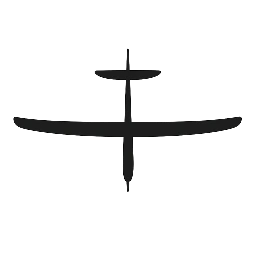
Understanding control surfaces is one of the most important steps in learning to fly RC gliders confidently.
If you’ve ever wondered what actually makes the glider climb, turn, or descend, this guide breaks it all down in plain language—without technical overload. By the end, you’ll know exactly what each control surface does, how it affects flight, and what beginners should focus on first.
What Are Control Surfaces?
Control surfaces are the movable parts of an RC glider’s wings and tail that allow you to control its direction and attitude in the air. They respond to inputs from your transmitter and move via servos inside the aircraft.
Most beginner RC gliders use two or three primary control surfaces, with more advanced gliders adding extra ones for fine control.
Elevator (Pitch Control)
What It Does
The elevator controls the glider’s pitch—whether the nose goes up or down.
- Elevator up → nose goes up → climb or slow down
- Elevator down → nose goes down → descend or speed up
Where It’s Located
The elevator is mounted on the horizontal tail surface at the back of the glider.
Why It Matters for Beginners
The elevator is the most important control surface on a glider. Too much elevator input is the #1 cause of beginner stalls.
👉 Tip: Small, gentle elevator movements are key—especially during launch.
Rudder (Yaw Control)
What It Does
The rudder controls yaw, which is the left and right movement of the nose.
- Rudder left → nose moves left
- Rudder right → nose moves right
Where It’s Located
The rudder is on the vertical tail fin.
Why It Matters for Beginners
Many beginner gliders use rudder-only or rudder + elevator control, which keeps things simple and forgiving.
The rudder:
- Initiates turns
- Helps correct heading
- Works especially well with polyhedral wings
Ailerons (Roll Control)
What They Do
Ailerons control roll, tipping the wings left or right.
- Right aileron up + left down → roll right
- Left aileron up + right down → roll left
Where They’re Located
Ailerons are found on the outer sections of the wings.
Why Beginners May or May Not Have Them
Some beginner gliders do not include ailerons, relying on rudder turns instead. This makes the aircraft:
- More stable
- Easier to recover
- Less twitchy
Gliders with ailerons offer more precise control but require smoother inputs.
Flaps (Optional / Advanced)
What They Do
Flaps increase wing lift and drag, allowing:
- Slower flight
- Steeper but controlled descents
- Smoother landings
Beginner Recommendation
Flaps are not required for beginners and should be ignored at first if your glider has them.
Learn the basics before experimenting.
Common Control Surface Configurations
2-Channel Gliders
- Elevator
- Rudder
Best for:
- Absolute beginners
- Calm conditions
- Learning fundamentals
3-Channel Gliders
- Elevator
- Rudder
- Throttle (electric motor)
Most common beginner setup.
4+ Channel Gliders
- Elevator
- Rudder
- Ailerons
- (Optional flaps)
Better for:
- Intermediate pilots
- Larger gliders
- Stronger wind conditions
Control Surface Direction Check (Critical!)
Before every flight, verify:
- Elevator up → elevator moves up
- Rudder right → rudder moves right
- Aileron right → right wing up, left wing down
Reversed controls almost always cause immediate crashes.
👉 See also: RC Glider Preflight Checklist
Beginner Tips for Control Surfaces
- Use low rates if available
- Avoid aggressive inputs
- Let the glider fly—don’t overcorrect
- Trim in calm conditions only
- Slight nose-heavy balance is safer
Common Beginner Mistakes
- Overusing elevator during launch
- Turning with elevator instead of rudder/aileron
- Flying with reversed controls
- Using high control throws too early
Related Beginner Guides
- RC Glider Preflight Checklist
- How to Launch an RC Glider Safely
- Why Your RC Glider Keeps Stalling
- RC Glider Basics for Beginners
Final Thoughts
RC gliders don’t need constant input to fly well. Understanding what each control surface does—and using them gently—will dramatically improve your success and enjoyment.
Master these basics, and everything else becomes easier.